


Bricks n Balls
4.26.80K Reviews
App Specs
- Version
- 3.37.0
- Updated On
- License
- Free
- Downloads
- 10,000,000+
- Developer
- PeopleFun
- Categories
- Puzzle
- Platform
- Android, iOS
Screenshots


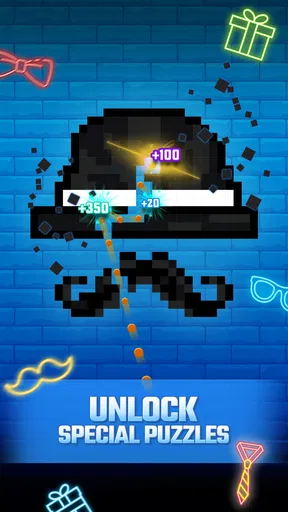
 Analysis by AppCompare
I spent time with Bricks n Balls as a casual puzzle game, and my first impression was familiar but not dismissive. The basic idea is easy to understand: aim shots at arrangements of bricks, break as many as possible, and keep the board under control. What makes the experience work is the small amount of planning hidden inside that simple loop. A quick tap can clear a useful path, while a rushed shot can leave awkward blocks in exactly the wrong places.
PeopleFun presents it as a free game for everyone, and that description fits how approachable it feels. It belongs to the puzzle category rather than demanding the reflexes of an action game or the long sessions of a strategy title. I can open it for a short break, play a few turns, and stop without needing to remember a complicated story or a large collection of rules. That simplicity is its biggest strength, although it also means players looking for deep progression may eventually find the format repetitive.
Where players usually get stuck
The first difficulty is not installing the game; it is learning to think beyond the most obvious brick. The tempting move is to point directly at the largest visible group. In practice, I found that the better shot is often aimed at a supporting brick or a narrow opening. Breaking that area can make later shots travel farther and reach more of the board.
Angles matter more than speed. A shot that touches a surface at a shallow angle can bounce through several rows, while a direct hit may finish quickly but waste the opportunity for extra contact. I recommend taking a moment to trace the likely route before releasing. This is especially useful when the board looks crowded and the next turn could leave very little space.
Another common sticking point is treating every turn as a race. The game feels fast because the controls are uncomplicated, but the best decision is not always the one that removes the most bricks immediately. I usually look for a shot that creates a clean follow-up position. That small change in approach makes difficult layouts feel more manageable and reduces the frustration of repeatedly making the same impulsive move.
The useful habit is to plan the second bounce, not just the first impact. When I do that, the board becomes less about luck and more about choosing a route. It does not remove every difficult situation, but it gives each shot a purpose.
Why the familiar format still works
Compared with match-three puzzles, this game gives me more control over the exact path of an action. I am not swapping neighboring pieces and waiting for a chain to resolve; I am choosing an angle and watching the result unfold. That makes it a better fit for someone who enjoys spatial judgment. On the other hand, players who prefer colorful combinations, character collection, or a strong narrative may find the brick-and-ball structure too plain.
Worth Reading Before You Choose

EA SPORTS FC Mobile 26 Is a Bigger Football Game, but It Takes Time

Flipboard Shows What News Apps Must Do Beyond the Feed

Switching to Android Auto Means Rethinking Your Driving Routine

Google Calendar Makes a Crowded Week Easier to Manage

Ludo King Makes the Most of the Minutes Between Plans

Baby Panda World Brings Quick Play to Modern Phones, but Its Game Library Feels Busy
It also differs from physics-heavy puzzle games that expect one carefully engineered solution. Here, I can often recover from a less-than-perfect shot, and the pleasure comes from managing a changing board rather than solving a single elaborate contraption. That makes it more forgiving for casual play, but less satisfying for anyone seeking a tightly authored puzzle with one exact answer.
Setup checks before blaming the game
The game is free to install, with optional in-app purchases ranging from $0.99 to $99.99 per item. I would check that detail before handing the device to a child, even though the content rating is Everyone. A suitable age rating describes the nature of the content, not whether every purchase setting is convenient for a family device. Reviewing the device’s purchase controls is a sensible step before regular play.
Its minimum operating-system requirement is Android 8.0, so older phones and tablets should be checked before expecting a smooth installation. If the device meets that requirement but the game still behaves oddly, I would begin with ordinary checks: confirm that the system has enough free storage, install pending system updates, and restart the device. These steps are unglamorous, but they often separate an installation problem from a gameplay problem.
The current version is 3.37.0. I would make sure the installed copy is up to date through the normal app store process, particularly if a problem appeared after changing devices or restoring applications. I would also avoid repeatedly tapping the install button when the store appears slow. Waiting for the first attempt to finish or fail clearly is safer than creating several competing downloads.
On a phone, the game is easiest to judge in portrait use with a clean screen and reliable touch response. A thick case, a wet display, or a screen protector that interferes with edge touches can make aiming feel inaccurate. Before concluding that the trajectory is wrong, I would test a few deliberate taps with the device held steadily and the display free of fingerprints.
Because this is a precision puzzle, small input problems are more noticeable than they would be in a menu-driven app. If the aiming line seems to jump, I would close other demanding applications, reconnect the device if it has been running for a long time, and try again. I would not assume that every missed shot is a software fault; sometimes the issue is simply an inconsistent touch point or an angle chosen too quickly.
Making the first sessions more comfortable
I recommend starting when you have a quiet minute rather than judging it during a rushed commute. The controls are simple enough to learn immediately, but the game rewards attention to rebounds and open lanes. A calm first session helps you notice whether you enjoy that kind of visual planning.
If you are installing it for someone else, let that player try the basic loop before discussing purchases or long-term play. The free entry point makes experimentation easy, but the appeal depends on whether the player likes repeating short brick-clearing challenges. Some people will appreciate that low commitment; others will want more variety from the beginning.
The developer is PeopleFun, and the game has reached over 10 million installs with an average rating of 4.2 from around 64 thousand ratings. Those figures suggest broad interest, but they should not replace a personal test. A popular casual format can still be the wrong match for someone who dislikes aiming, repeated board-clearing, or optional purchase prompts.
Recovering a disrupted workflow
When a session stops behaving normally, I would recover in stages instead of immediately deleting the game. First, I would note what changed: did the issue begin after an update, after switching networks, after leaving the app open for a long time, or only on one device? That simple observation helps identify whether the problem is local to the phone or tied to the session itself.
Next, I would fully close the game and reopen it. If that does not help, I would restart the device and check for an available update. These are safe general steps that do not risk changing personal settings. I would avoid clearing storage casually, because removing local app data can create a separate recovery problem and should not be treated as a routine button to press.
If the game is responsive but a shot appears to behave strangely, I would test the same kind of input several times rather than relying on one frustrating turn. Check whether the display registers touches consistently in other applications. If other apps also miss taps, the phone’s screen, case, or system may be the more likely source.
Network changes can also confuse troubleshooting. I would try the connection that normally works best for the device, then reopen the game after the connection is stable. I would not keep switching between networks while testing, because that makes it difficult to tell whether the change helped or merely coincided with the next launch.
For a player moving to another device, I would be cautious about assuming that every game state transfers automatically. Before removing the old installation, keep the original device available and check the game’s own visible options for any account or progress tools. I would not promise a particular recovery method without seeing what the app presents on that device, but preserving the old setup is the sensible precaution.
What to do after an interrupted turn
If a session closes unexpectedly, reopen the game once and look for the same board or the normal starting point. Avoid repeatedly launching and force-closing it, since that adds noise to the problem. If the issue repeats, record the device model, operating-system version, and the action that preceded the closure. Those details are much more useful when seeking help than a general statement that the game is broken.
I also suggest separating progress concerns from purchase concerns. If you made a purchase and something looks wrong, keep the store receipt and avoid buying the same item again while investigating. The game is free to start, but optional items can carry meaningful costs, so patience is better than trying to repair a problem by making another transaction.
When the app is not the cause
Some complaints are really about expectations. The game is built around a compact brick-breaking loop, not a large adventure campaign. If you want a puzzle with a story, character development, or a constantly changing set of mechanics, another category will probably suit you better. Choosing a different game is not a failure of this one; it is a matter of matching the format to the kind of attention you want to give.
It may also be the wrong choice for someone who needs a completely purchase-free environment. Although I can play without paying to get started, the presence of optional items means family settings deserve attention. For a child’s device, I would configure purchase protections at the operating-system level and explain that the free download does not necessarily mean every item inside the game is free.
Players with older hardware should be realistic as well. Android 8.0 is the minimum listed operating system, but meeting a software requirement does not guarantee that every older device will feel equally comfortable. Screen responsiveness, available storage, battery condition, and background activity can all affect a short precision game. If the device struggles with other applications, replacing the phone is not a reasonable solution for one puzzle game; trying it on a newer supported device would give a fairer impression.
There is a further trade-off between this game and minimalist offline puzzles. Bricks n Balls is appealing when I want a familiar, visually active distraction, but someone seeking silent concentration and no interruptions may prefer a simpler puzzle application. Conversely, compared with a traditional brick-breaker controlled by a moving paddle, this title asks me to plan shots rather than chase a ball in real time. That makes it more relaxed for some players and less exciting for others.
A realistic everyday use case
Imagine waiting for a friend at a café with a few spare minutes. I can open the game, play a short sequence, and put the phone away without losing the thread of a story. If the wait becomes longer, I can continue thinking about angles and clearing routes. That is where the format makes sense: it occupies small gaps without requiring a full evening.
It is less suitable during a situation that demands attention, such as walking through traffic or trying to follow a conversation. Even though the controls are easy, a good shot benefits from looking carefully at the board. I would treat it as a sit-down micro-break, not as something to operate while multitasking.
My practical verdict
I recommend Bricks n Balls to anyone who likes short, accessible puzzle sessions and enjoys making small spatial decisions. Its strongest quality is the balance between immediate controls and gradually improving judgment. I can begin without studying instructions, yet I still have something to learn about angles, rebounds, and preparing the next turn.
The game is also easy to approach financially because the download is free. Still, I would set expectations clearly: optional purchases are present, and the simple core may not provide enough variety for players who need a rich progression system. The Everyone rating makes it broadly approachable, but adults should still handle purchase settings when children use the device.
My most useful advice is to judge the game after several calm sessions, not after one unlucky board. Keep the device updated, check Android compatibility, test touch response, and restart normally if a session becomes unstable. In play, aim for future openings rather than only immediate destruction. Those habits address both the common setup friction and the main strategic weakness of rushing.
With an average rating of 4.2 and a large install base, it is clearly a familiar choice in casual puzzle gaming, but popularity is not the reason I would recommend it. I recommend it because the central interaction is clean, the learning curve is gentle, and a few spare minutes are enough to enjoy it. Choose it for focused, bite-sized brick-breaking; skip it if you need deep variety, a story, or a strictly purchase-free experience.
Pros
- Simple controls make it easy to start playing immediately.
- Short levels are ideal for quick gaming sessions.
- Many ball and brick effects add variety to gameplay.
- Offline play makes it useful when no internet is available.
- Gradual difficulty provides a satisfying sense of progression.
Cons
- Ads can interrupt play
- especially after completing levels.
- Some stages rely heavily on luck rather than careful planning.
- Later levels may feel repetitive despite changing layouts.
- Extra balls and power-ups can create an uneven difficulty curve.
- Progress and rewards may encourage frequent in-app purchases.
FAQs for Bricks n Balls
What is Bricks n Balls and how do you play it?
Bricks n Balls is a casual arcade puzzle game based on the classic brick-breaker formula. You aim and launch a group of balls toward numbered blocks, trying to clear as many bricks as possible before they reach the bottom of the screen. Each turn requires careful planning, because the angle of your shot determines how effectively the balls bounce and which blocks they hit.
Is Bricks n Balls free to download and play?
Yes, Bricks n Balls can generally be downloaded and played for free on supported mobile devices. However, the game may include optional in-app purchases, advertisements, or both. These extras can offer convenience, remove advertising, or provide additional resources, but they are not usually required to enjoy the main gameplay. Check the store listing for the latest pricing and availability details.
Does Bricks n Balls require an internet connection?
The core brick-breaking gameplay can usually be enjoyed without a constant internet connection, which makes Bricks n Balls suitable for short sessions while traveling or when mobile data is unavailable. Nevertheless, an internet connection may be needed for advertisements, online features, rewards, updates, or purchases. Offline availability can vary depending on the device, version, and current game configuration.
Are there many levels or game modes in Bricks n Balls?
Bricks n Balls is designed around progressively challenging levels in which brick numbers, layouts, and values become harder to manage. Some versions may also include special challenges, events, boosters, or alternative modes that add variety beyond the standard stages. The exact content can change through updates, so players should review the current app-store description for the latest features.
Is Bricks n Balls suitable for children and casual players?
Bricks n Balls is easy to understand and does not require complicated controls, making it accessible to casual players and many younger users. Still, parents should check the age rating and review the advertising and in-app purchase settings before allowing children to play. The game encourages aiming and planning, although repeated attempts and optional purchases may influence the overall experience.


